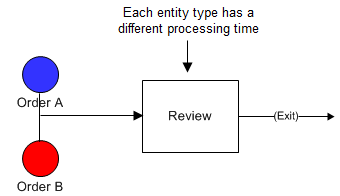
The activity time or other activity action (JOIN, SPLIT, ASSIGN, etc.) is based on the type of entity being processed.
The model used for this example, as well as all of the modeling "how-to" examples, can be found in the ProModel Solutions Café (http://www.promodel.com/solutionscafe/howto/). A video demonstrating this solution can be found here.
Two types of orders (A and B) must go through a Review activity. A orders take .5 minute to review and B orders take 1.2 minutes.
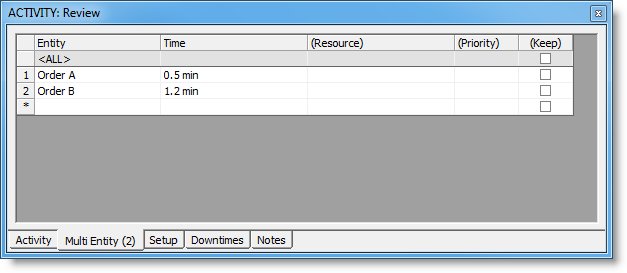
The time for each order has been entered on the Multi Entity tab of the Properties dialog for the Review activity. The number on the Multi Entity tab (2) represents the total number of entities defined.
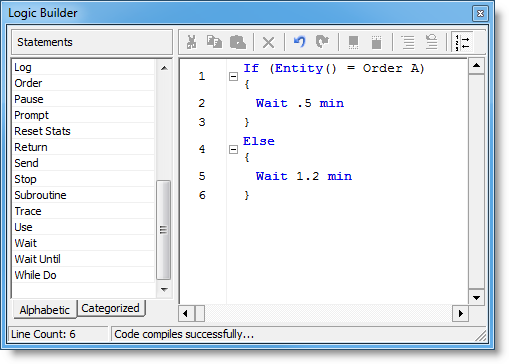 In the Activity Logic Builder, an IF statement was defined testing whether the entity is Order A. If true, a WAIT time occurs for .5 minutes. An ELSE statement is also defined (to cover Order B entities) with a WAIT time of 1.2 minutes.
© 2011 ProModel Corporation • 556 East Technology Avenue • Orem, UT 84097 • Support: 888-776-6633 • www.promodel.com